
Information is spread across spreadsheets and applications.
Systems that connect the way you work.
We design custom software, SaaS platforms and management tools so information and processes work in one environment. We start with what you need to do, who does it and the data they need to make decisions.
What do we mean by a custom system?
It is a tool designed around a specific process. It can combine a calendar, a CRM, operational information, integrations and analysis dashboards. Its scope depends on the work to be addressed, rather than a fixed list of features.
Your team repeats tasks or has to enter the same data several times.
Available tools do not fit your own process.
FROM IDEA TO SYSTEM
Examples that make it clearer.
EXAMPLE / 01
Serenity
Practice management in one environment.
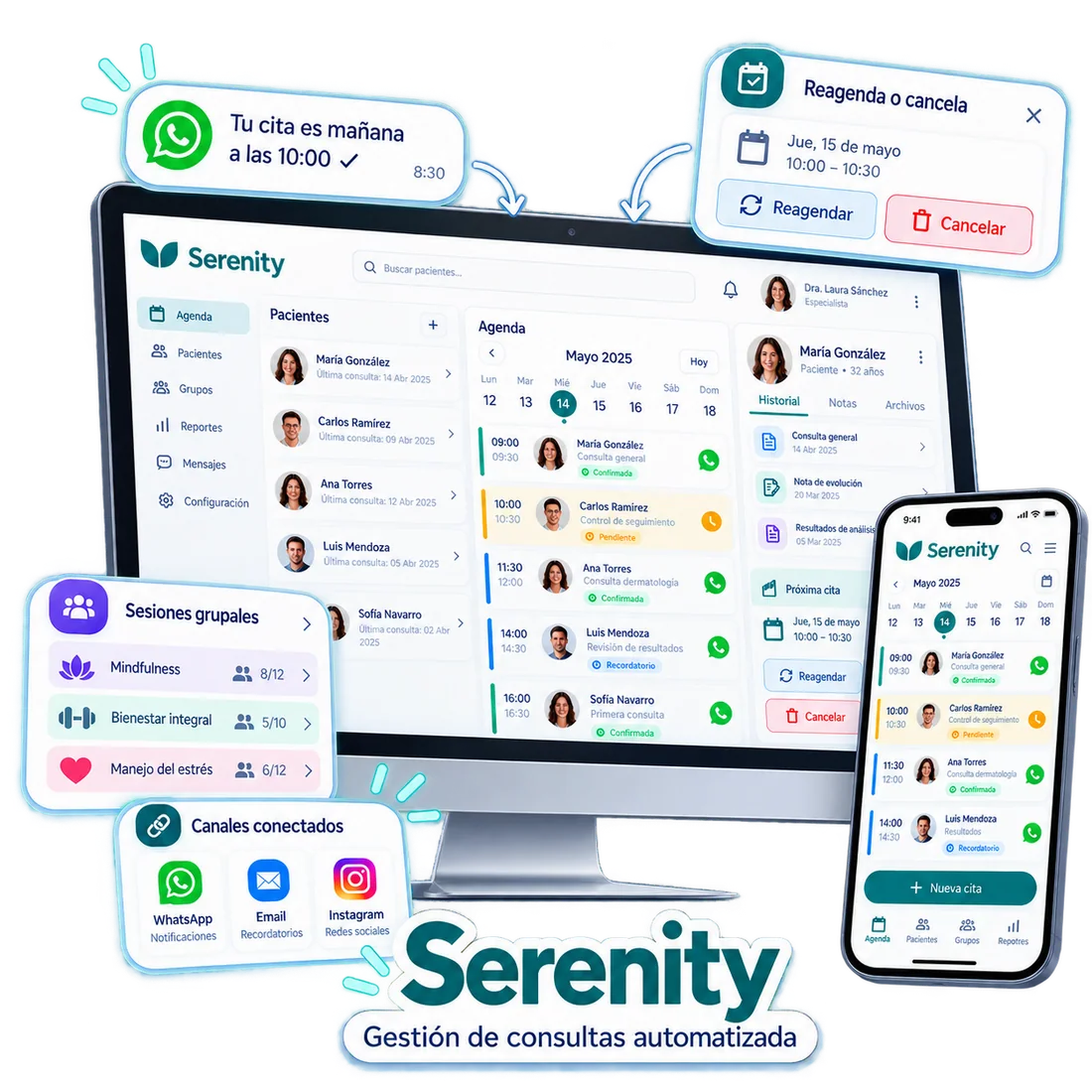
Serenity illustrates how to bring appointments, patient information, sessions and follow-up together in a platform adapted to the work of a professional practice.
The problem
When appointments, contacts and notifications are separate, keeping track of each person’s context means switching between tools.
The approach
A management environment with a calendar, records, groups and reports, alongside connected channels for reminders and appointment changes.
- Calendar and appointment management
- Patient information and follow-up
- Group sessions
- Connected reminders and communication
Channels, permissions and data processing are configured for each implementation.
PROJECT IN DEVELOPMENT
STUDIO OS
A system for connecting podcast and video production.
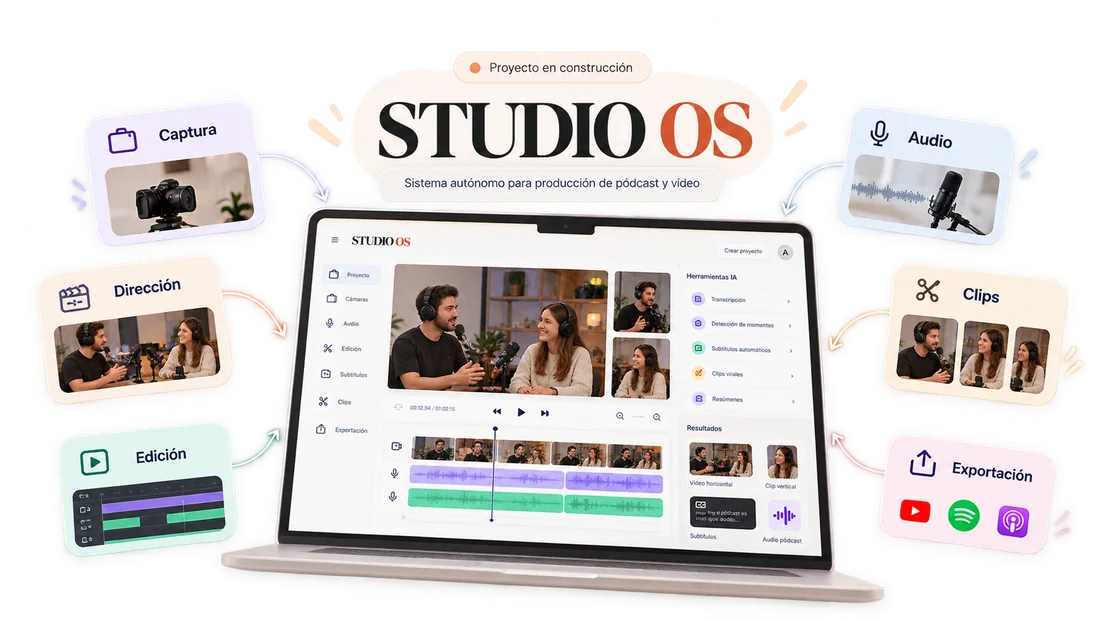
STUDIO OS is a project in development that proposes bringing the stages of podcast and video production together in a connected workflow.
The problem
Capture, audio, editing and preparing different formats are often spread across separate processes and tools.
The approach
A platform designed to organise a project from capture to export, with transcription, subtitles and clip preparation tools.
- Capture and project organisation
- Audio and editing
- Transcription, subtitles and clips
- Export to different formats
These are the project’s planned features. It is not presented as a finished product or as available to purchase.
The process comes first.
Then the technology.
Understand the process
We identify the people, information, tasks and decisions involved.
Design the environment
We define the features, data, permissions and connections needed.
Build and check
We validate the workflow with real situations before expanding its scope.
FREQUENTLY ASKED QUESTIONS
Questions worth answering.
Does a custom system have to replace all my tools?
No. It can integrate tools that already work and address only the process that is missing or causing friction.
What is the difference between a CRM and a SaaS platform?
A CRM organises customer relationships and opportunities. SaaS describes a way of providing software as a service. A SaaS platform may include a CRM and other features.
Is Serenity only for professional practices?
The example shown focuses on practice management. Adapting it to another activity requires reviewing processes, data and features; it is not an automatic name change.
Is STUDIO OS available yet?
It is not presented as a finished product. It is a project in development with a planned workflow for podcast and video production.
THE NEXT STEP
LET’S TALK ABOUT THE PROBLEM Let’s talk about what you need to build.
You don’t need to arrive with a solution. Tell us about the process, the difficulty or the idea, and we’ll start there.